Ayushman Mitra Initiative – Under the Ayushman Bharat Pradhan Mantri Jan Arogya Yojana, we aim to provide free and Cashless health care services to approx. 55 crore citizens of India. ‘Ayushman Mitra’ has been envisioned to help achieve this goal. Ayushman Mitra is a voluntary initiative. Any citizen of the country can become Ayushman Mitra.
Ayusman Mitra Registration – Government of India launched a new portal under National Health Authority to Provide better benifit to the needy people .
Anyone can apply for Ayusman Mitra and later he/She will be called for basic training .
Here are the full procedure to apply for Ayusman Mutra :-
Log on to the web-portal pmjay.gov.in and click on the Ayushman Mitra registration button.
Enter your mobile number and Aadhar card number.
Enter the OTP received for mobile number verification.
Enter the OTP received for Aadhar Authentication for e-KYC.
Now you have successfully generated your Ayushman Mitra ID.
Now you can use the Ayushman Mitra ID as User ID for login at the web portal and access the dashboard anytime.
Benifit of Ayusman Mitra :-
AYUSHMAN MITRA CAN SUPPORT THE BENEFICIARIES IN THE FOLLOWING WAYS
Help beneficiaries to check their eligibility
Help the beneficiaries to generate Ayushman card through the nearest CSC or empanelled hospital
Help the beneficiaries in identifying empanelled hospitals
Inform the beneficiaries about their rights under the scheme
To download the list of Ayushman Bharat PM-JAY beneficiaries of your Village/Block/DistrictCLICK HERE
If you face any issue you are requested to watch the video
Details of Assam Forest Department Recruitment 2021
1.Name of Post: Forester-I
No of Post: 04
Pay Scale: Rs.14000-60500 +GP Rs.6400/- P.M.
Educational Qualification: Bachelor’s Degree from any recognized University or equivalent.
2.Name of Post: Forest Guard
No of Post: 16
Pay Scale: Rs.14000-60500 +GP Rs.5600/- P.M.
Educational Qualification: HSSLC (10+2) or equivalent from any recognized Board or Council.
3.Name of Post: Jr. Assistant.
Total no. of Post: 03
Pay Scale: Rs.14000-60500 +GP Rs.6200/- P.M.
Educational qualification: Bachelor’s Degree from any recognized University or equivalent.
4. Name of Post: Draftsman
No of Post: 01 nos.
Pay Scale: Rs.14000-60500 +GP Rs.6800/- P.M.
Educational Qualification: HSLC or equivalent passed from any recognized Board with Diploma in Draftsmanship from Govt. recognized Institute.
5.Name of Post: Office Peon
No of Post: 03 nos.
Pay Scale: Rs.12000-52000 +GP Rs.3900/- P.M.
Educational Qualification: VIII Passed.
6. Name of Post: Chowkidar
No of Post: 02 nos.
Pay Scale: Rs.12000-52000 +GP Rs.3900/- P.M.
Educational Qualification: VIII Passed.
7. Name of Post: Chainman
No of Post: 06 nos.
Pay Scale: Rs.12000-52000 +GP Rs.3900/- P.M.
Educational Qualification: VIII Passed.
8. Name of Post: Plantation Mali
No of Post: 01 nos.
Pay Scale: Rs.12000-52000 +GP Rs.3900/- P.M.
Educational Qualification: VIII Passed.
9. Name of Post: Waterman
No of Post: 01 nos.
Pay Scale: Rs.12000-52000 +GP Rs.3900/- P.M.
Educational Qualification: VIII Passed.
Age limit for Assam Forest Recruitment 2021:
18 – 40 years as of 01-10-2021.
Relaxation up to 5 yrs in case of ST/SC candidates 3 years in case of OBC/MOBC 2 years in respect of ex-serviceman 10 yrs i.e up to 50 yrs in respect of persons with Disabilities.
How to apply for Assam Forest Recruitment 2021 ?
Application in Standard Form prescribed in part-IX of Assam Gazette affixing Council Court fee Stamp worth Rs.10/- with two recent passport size photographs and photocopies of Age proof Certificate, Caste Certificate, Educational qualification Certificate, Mark sheets, etc of HSLC/HSSLC/Bachelor’s Degree or equivalent and other relevant documents with self-attested must be submitted in the O/O Divisional Forest Officers: a) Dima hasao Forest Division (west), Halflong or (b) Dima hasao Forest Division (East), Halflong or (c) Southern Afforestation Division, Halflong on or before 15th November/2021 within the office hours.
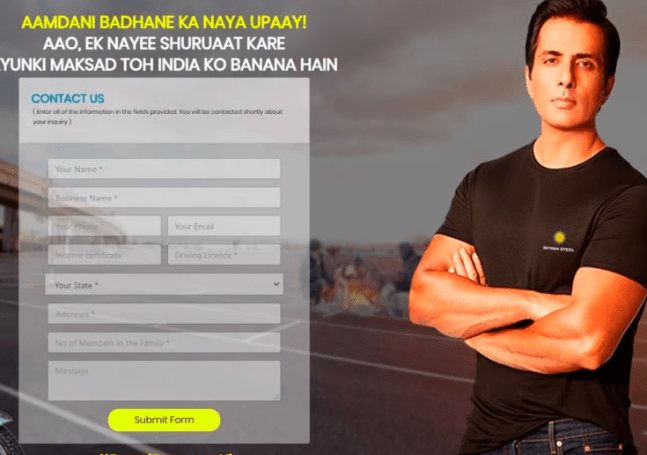
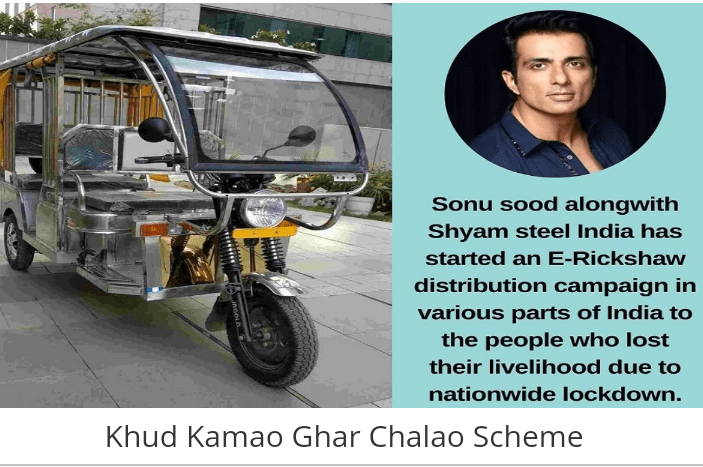
Sonu Sood is helping the needy people for the long time we know it …but now he is going to do a big help for the poor,needy people who lost their jobs for the pendamic covid 19.So he is now providing E-Rickshow for free
To get the E -Rickshow for free follow the below steps ..
First of all go to the official website of KHUD KAMAO GHAR CHALAO ..link is given below ..
After that you to fill the application details correctly ..after that At the end you will get a Box So here you have to put write about your own e.g. You are jobless ,how you lost your job and what are you doing in this days etc etc
Thanks To Sonu Sood Sir for the great work .YOU ARE A REAL HERO SIR
If you face any issue about it you can watch video here
First of all go to the link given below .After that you have to put your mobile number which is registered with aadhaar card .
You will get an OTP on your phone put it and again you will get an OTP after entering your aadhaar number.So you have to complete all the details about ADDRESS,QUALIFICATION ,BANK DETAILS,PROFFESION
After giving all these you can download your card .
You can avail all the govt scheme benefit if you make this card ,all the amount will come directly to your bank account from government .
If you have any problem regarding this process you can watch the video
If you want to apply For Learner license ,follow the below process⤵️
If you dont have lerner then first you have to apply for learner license and this learner will be valid upto six months.So After minimum one month you can apply for drving license.
Since lerner test is conducting on online mode so you dont need to go to RTO office ,you can get your learner license within 30Minutes.
To get the learner license follow the below steps ↩️
Steps :
Go the official webpage By clicking on the below links .
Then Go the learner section and proceed through authenthicate via aadhhar .If you select without aadhaar then you have to go RTO office for the exam .So select via aadhaar to give online exam.
All the details will come from your aadhaar ,only you have to upload your sign again ,your photo will also come from aadhaar.
After filluping application form you have to go UPLOAD DOCUMENT and select upload photo and sign here you can upload your sign.
After uploading sign you have to go for payment.To make payment you have to go FEE PAYMENT and there you can calculate your fees and can make payment also.
Fee structure is given below:
Extra Charges (Compulsory)=50RS
MCWG =150Rs
LMV =150Rs
So if you want only MCWG then you have to pay (150+50)=200
If you want Only LMV you have to pay (150+50)=200
For Every catagory you have to pay 150RS
So if you want two and four wheeler both then calculation is as follows
(150+150)+50=350RS
After making a successful payment you can give your online test.To give test you have to go LEARNER LICENSE section and click on LL test online(STALL) ,by putting your application number and DOB and generate otp .
Now you have to confirm your face so look at the camera and click on Authenticate ,Your face will be captured and you will be able to proceed for exam .
There will be total 10 question you have to give minimum six correct answer.
If you face any problem in case of applying ..you can watch my live video
Get your income certificate online now.You do not need to go circle office for income certificate but you must have challan of land tax of recent.
Process ⤵️
Go to the below link ..
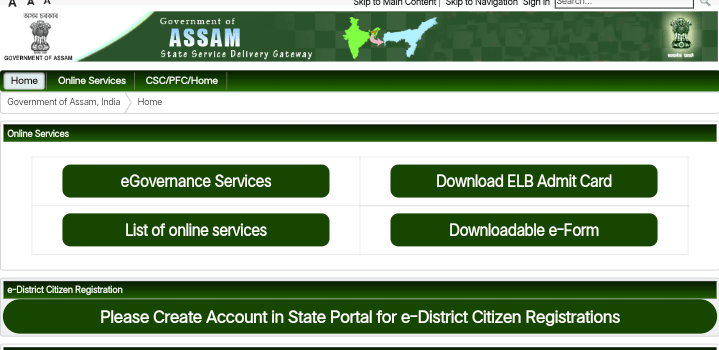
➡️Create an account if you dont have account at e district portal
➡️Go to the e goverment section and search for income certificate
➡️ Now click on online
➡️ And submit online ,now you have to fillup your online form (address) etc
➡️ After form fill-up you have to upload documents of address proof,identity proof, land revenue challan .(Size of the documents should be less than 500kb)
➡️ Now make a payments of RS 30 Only .
➡️ After making a successful payment you will get your acknowledgement slip.
➡️ Now visit the status check website or you can check by Sugam application (Both the links are given below)
➡️ When your certificate is approved , you will get a download option there .(For approval ,it may take maximum 10 Working days )
If you have any other issue ,you can watch my video where I made a live video about HOW TO MAKE INCOME CERTIFICATE .
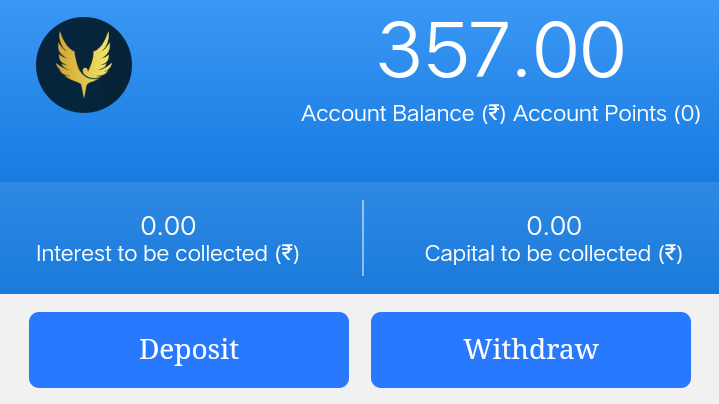
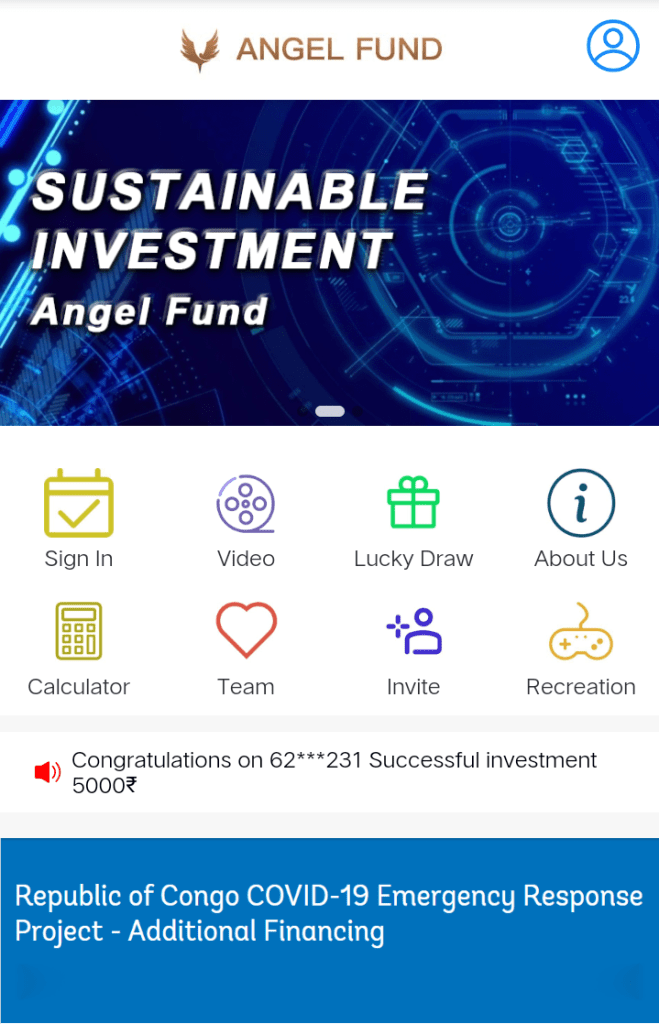
Short Description : Angel Fund,its a place where you can earn real Guarented even without investment .If you want you can invest also on running projects and can earn money depending on the projects..You just need to log in daily and collect money ,Once yout total collection is more than INR 1000 then you can withdraw your money .
Process : First of all you have to create your account .After linking you need to bind your Aadhaar card and bank account.
After creating acount do login and sign in daily and get money from Rs10-2000.
You can invite your friends by clicking on invite shown on the above picture.
If you have any doubt you can watch out my videos at
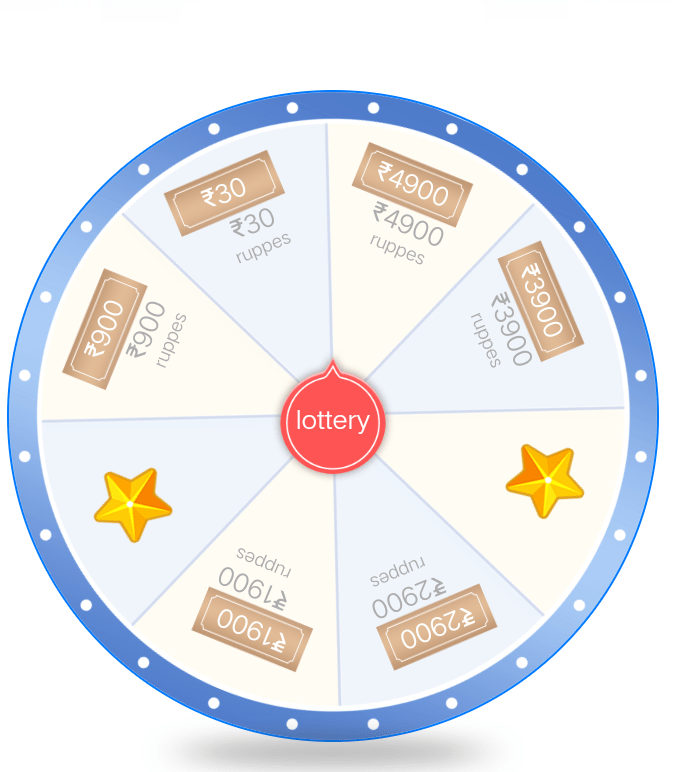
You can earn a lots of money if u can make others making account through your link .If once create account by your link then you will get a coupon of lucky draw.
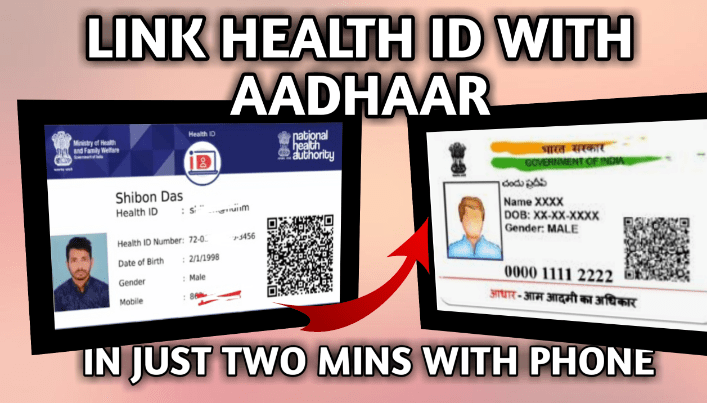
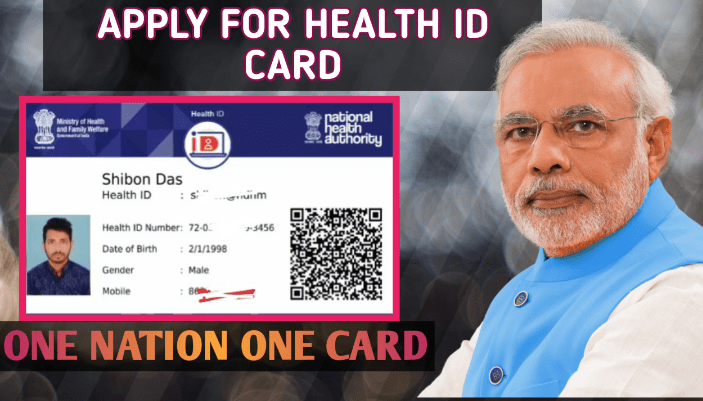
Benifit of the card : If you have a health Id card then you need not carry physical documents to the hospitals or to the doctors .All the data of your report will be updated to this card.
Process of apply : First of all go to the link given below
Here You have to generate your id ..if you cant find your state and district then select any state and sistrict .
After generation of your id card go the EDIT section showing at left side .
Click on EDIT and then you will get all the states and districts ,Select your exact state and district and save it .
After saving your data will be shown on the card and you can download Your id card by clicking on DOWNLOAD .
If you have still doubt then please watch my video at youtube ..you can watch on this page ..
Oil Duliajan Recrutment 2021,535 Gr 3 Workperson Post .
Oil India Limited.
Description : Oil India Limited has released on employment notification for the post of 535 grade 3 Work person vacancy at Oil ,Field Headquarters, Duliajan .Interested and eligible person of its production and exploration areas in Assam and Arunachal pradesh can apply online here.
Details of posts :
1. post Name : AELI 2021
Number of post : 38 [Sc=02,St=04,OBC(NCL)=10,EWS=03,UR=19]
Educational Qualification :
(i) Trade Certificate in Electrician Trade from a Government Recognized Institute. Must have passed Class 10 from a Government Recognized Board.
(ii) Must possess valid Electrical Workman’s Permit (Part/Class I & Part/Class II) issued by Government Electrical Licensing Board.
2. Post Name: AFI12021
Total Number of Posts = 144 [SC: 10, ST: 17, OBC(NCL): 38, EWS: 14, UR: 65]
Educational Qualification : Trade Certificate in Fitter Trade from a Government Recognized Institute. Must have passed Class 10 from a Government Recognized Board.
3. Post. Name : AMA12021
Total Number of Posts = 42 [SC: 03, ST: 05, OBC(NCL): 11, EWS: 04, UR: 19]
Educational Qualification = Trade Certificate in Mechanic Motor Vehicle Trade from a Government Recognized Institute. Must have passed Class 10 from a Government Recognized Board.
4. post Name : AMC12021
Total Number of Posts = 13 [SC: 01, ST: 01, OBC(NCL): 03, EWS: 01, UR: 07]
Educational Qualification = Trade Certificate in Machinist Trade from a Government Recognized Institute. Must have passed Class 10 from a Government Recognized Board.
5. Post Name : AMD12021
Total Number of Posts = 97 [SC: 07, ST: 11, OBC(NCL): 26, EWS: 09, UR: 44]
Educational Qualification = Trade Certificate in Mechanic Diesel Trade from a Government Recognized Institute. Must have passed Class 10 from a Government Recognized Board.
6. Post Name : AME12021
Total Number of Posts = 40 [SC: 03, ST: 04, OBC(NCL): 10, EWS: 04, UR: 19]
Educational Qualification = Trade Certificate in Electronics Mechanic Trade from a Government Recognized Institute. Must have passed Class 10 from a Government Recognized Board.
7. Post Name : AOB12021
Total Number of Posts = 8 [SC: 01*, OBC(NCL): 02, UR: 05] *01 SC-Backlog post
Educational Qualification =
(i) Trade Certificate in the relevant course of 2 years duration from a Government Recognized Institute. Must have passed Class 10 from a Government Recognized Board.
(ii) Must possess valid and current 2nd Class Boiler Attendant Certificate issued by a Competent Government Authority.
8. Post Name : AOT12021
Total Number of Posts = 4 [OBC(NCL): 01, UR: 03]
Educational Qualification: Trade Certificate in Turner Trade from a Government Recognized Institute. Must have passed Class 10 from a Government Recognized Board.
9. Post Name : ATC12021
Total Number of Posts = 8 [OBC(NCL): 02, UR: 06]
Educational Qualification = Trade Certificate in Draughtsman Civil Trade from a Government Recognized Institute. Must have passed Class 10 from a Government Recognized Board.
10. Post Name : ATI12021
Total Number of Posts = 81 [SC: 05, ST: 09, OBC(NCL): 21, EWS: 08, UR: 38]
Educational Qualification = Trade Certificate in Instrument Mechanic Trade from a Government Recognized Institute. Must have passed Class 10 from a Government Recognized Board.
11. Post Name: ATO12021
Total Number of Posts = 44 [SC: 03, ST: 05, OBC(NCL): 11, EWS: 04, UR: 21]
Educational Qualification = Passed 10+2 with Physics, Chemistry and Mathematics as the main subjects from a Government Recognized Board.
12. Post Name : ATS12021
Total Number of Posts = 5 [OBC(NCL): 01, UR: 04]
Educational Qualification = Trade Certificate in Surveyor Trade from a Government Recognized Institute. Must have passed Class 10 from a Government Recognized Board.
13. Post.Name : ATW12021
Total Number of Posts = 6 [OBC(NCL): 01, UR: 05]
Educational Qualification = Trade Certificate in Welder Trade from a Government Recognized Institute. Must have passed Class 10 from a Government Recognized Board.
14 .Post Name : AIT12021
Total Number of Posts = 5 [OBC(NCL): 01, UR: 04]
Educational Qualification = Trade Certificate in IT&ESM / ICTSM / IT Trade from a Government Recognized Institute. Must have passed Class 10 from a Government Recognized Board.
Salary (Scale of Pay) = ₹ 26,600.00 – 90,000.00
Eligibility Criteria
Domicile: Candidates must be from OIL’s production and exploration areas in the districts of Dibrugarh, Tinsukia, Sivasagar and Charaideo in Assam and Changlang district in Arunachal Pradesh .
Age Limit = Age limit as on 23/09/2021 for different categories are as follows
❀ General: 18 to 30 Years
❀ SC/ST: 18 to 35 Years
❀ OBC (Non-Creamy Layer): 18 to 33 Years
✒ Application/Examination Fees =
❀ General/OBC: ₹200/- + GST/ Bank charges
❀ SC/ST/EWS/Persons with Benchmark Disabilities/Ex-Servicemen: Nil
❀ Payment mode: Online
How To Apply
Interested and eligible candidates may apply online for these vacancy through online mode by visiting official OIL Recruitment Portal.
OIL Help Desk Details
Help Desk Email: helpdesk.oilindia@cbtexams.in
Selection Process
The selection process shall consist of a Computer Based Test (CBT) wherein the qualifying marks will be minimum 40% marks for SC/ST/Persons with Benchmark Disabilities and minimum 50% marks for others.
Type of question: The Computer Based Test (CBT) will comprise of questions in the multiple-choice questions (MCQ) format.
Language of question paper: The Computer Based Test (CBT) will be bilingual i.e. English & Assamese.
Negative marking: There will be no negative marking in the Computer Based Test (CBT).
Duration: The total duration of the Computer Based Test (CBT) will be 02 (two) hours.
In the final merit list for selection, if Computer Based Test (CBT) marks of more than one candidate are same, then the candidate who obtains more marks in Part-C of the Computer Based Test (CBT) will be given preference. In case, if the marks in Part-C are same, then the candidate who obtains more marks in Part-B will be given preference. If the marks in Part-B are also same, then the candidate older in age will be given preference in the final merit list.
Written Test Syllabus :
A – English Language & General Knowledge /Awareness and Questions on Oil India Limited. ((=20%=))
B – Reasoning, Arithmetic/Numerical & Mental Ability ((=20%=))
C – Domain or Relevant Technical Knowledge: Questions will be based on the qualification prescribed for the post and commensurate with the level of the post. ((=60%=))
TOTAL 100%
Apply Important Dates :
✿ Online Apply Starting Date : 24.08.2021, 07:00 hour
✿ Online Apply Last Date : 23.09.2021, 23:59 hour
Important Official Links –
Subscribe my youtube chennel for the latest update
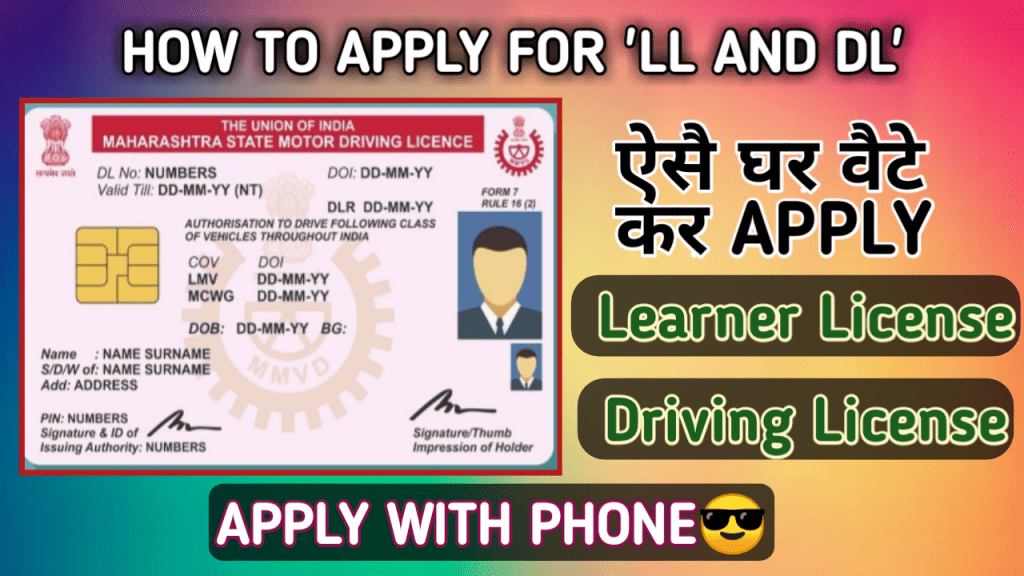
How to apply for learner license(LL) or Driving license (DL)
To Apply for LL or DL follow the given steps:
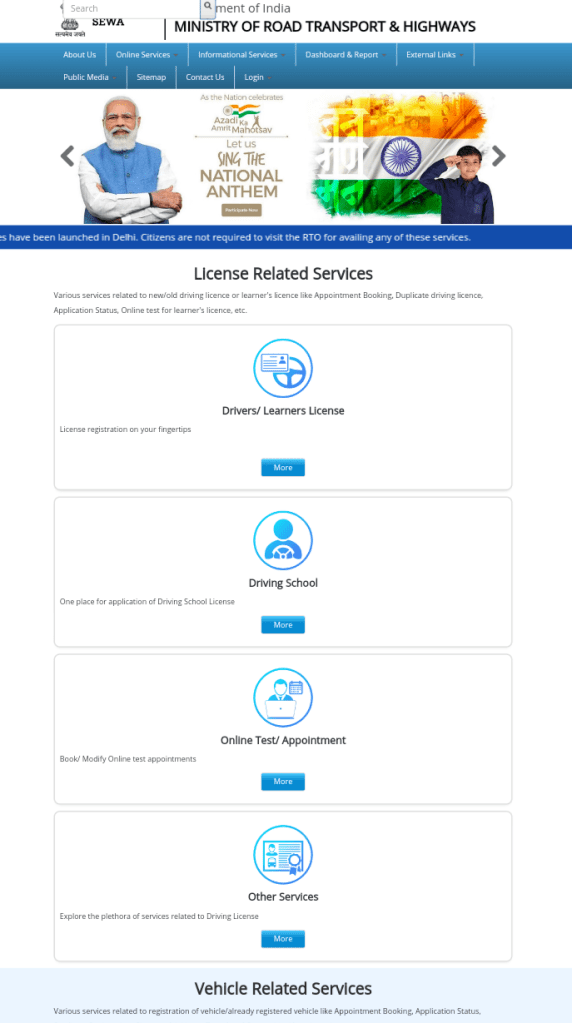
Step 1 : Go to the link given below
Step 2 : Go to the 1st section written as Drivers/learners license.
Step 3: Then again you will get a page ao if you are going for learner license then go to 1st section otherwise you can scroll and you will get many options .Click on the icons what you need to do.
Step 4 : After that you have to select your state ..Different states have different Steps to do.Some states need to go RTO office where as some states will not let you go At RTO office you can apply from home .
Step 5: Now you have to read the details what the webpage want to know and give your details and go on.S
Step 6 : For assam ,there are only 3 steps as Fill application and submit 2nd Upload documents 3rd Book LL solt .So first you have to put all your details correctly and submit the form.
Step 7: In the 2nd step you have to upload your documents – Age proof,Address proof and Form 1 ( Self declaration)
Step 8: In the final step you have to book a slot at your RTO office .and may have to pay a charge which will be paid to Government of MINISTRY OF ROAD TRANSPORT AND HIGHWAYS.
After booking a slot go to the RTO office along with the original document of age proof and adress proof and also the xerox copy of pre filled form and form 1 copy and acknowledgement slip.
If you face any issue regarding the apply for License you can watch videos also at youtube ,here I made in details step by step .Link of the video is included below.
Watch video here :
If you have any question you can raise through comment box I will definately try to response.
Please support me by Subscribing my youtube chennel HowToTech and like this post .

 How To Tech